Every car in the workshop, on one board.
A car arrives, you open a job card, and everything that happens to it stays on that card — the diagnosis, the labour, the parts, the quote the customer approved, the invoice, the payment. Self-hosted Laravel, full source.
No sign-up. Pick a role on the demo and you are in.The work
One job card, start to finish
A card cannot skip from booked in to handed over. Every move is checked, dated and attributed, so "who said we could do the clutch" has an answer.
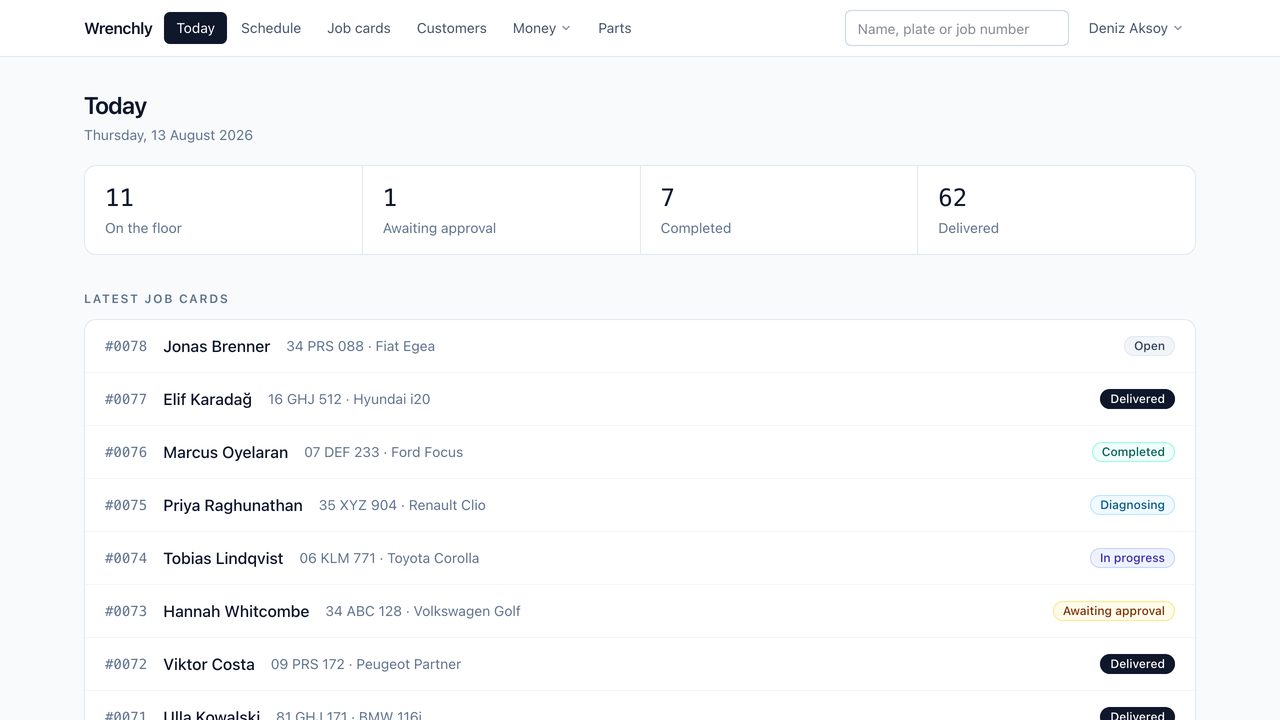
The screen you leave open
How many cars are on the floor, how many are waiting on a customer, how many are finished and how many have gone home — then the list of recent job cards underneath. One search box finds anything by name, registration or job number.
The money
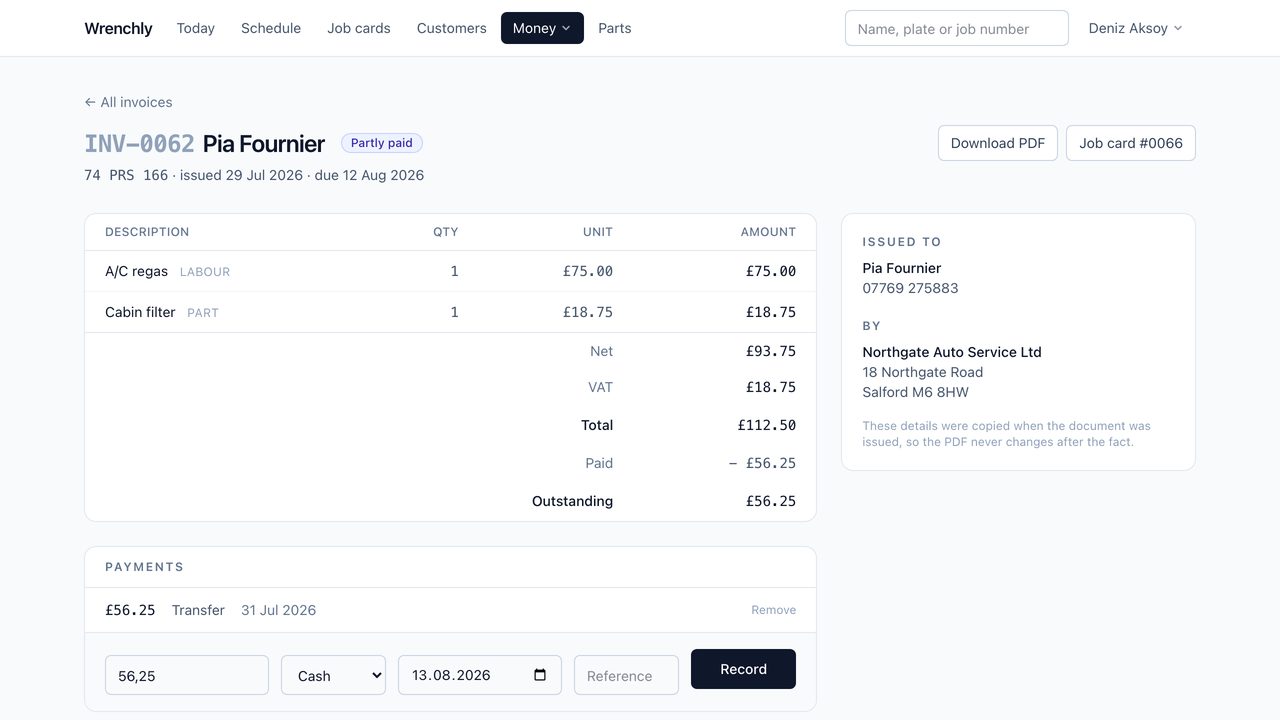
Paperwork frozen at the moment you issued it
A quote or invoice copies its lines and freezes both parties' details as they were on the day. Change your address next year and last year's invoice still prints last year's address — because that is the document you sent.
Quote, approve, invoice, get paid
Issue a quote and the customer opens a link, reads the work and the price, and approves it themselves — no account, no password. An approval moves the card into progress and is recorded as their decision, not a member of staff's.
Record cash, card or transfer against an invoice, including part payments. Paid, partly paid and unpaid follow from the arithmetic; nobody sets a flag.
Stock that goes down when the part goes on
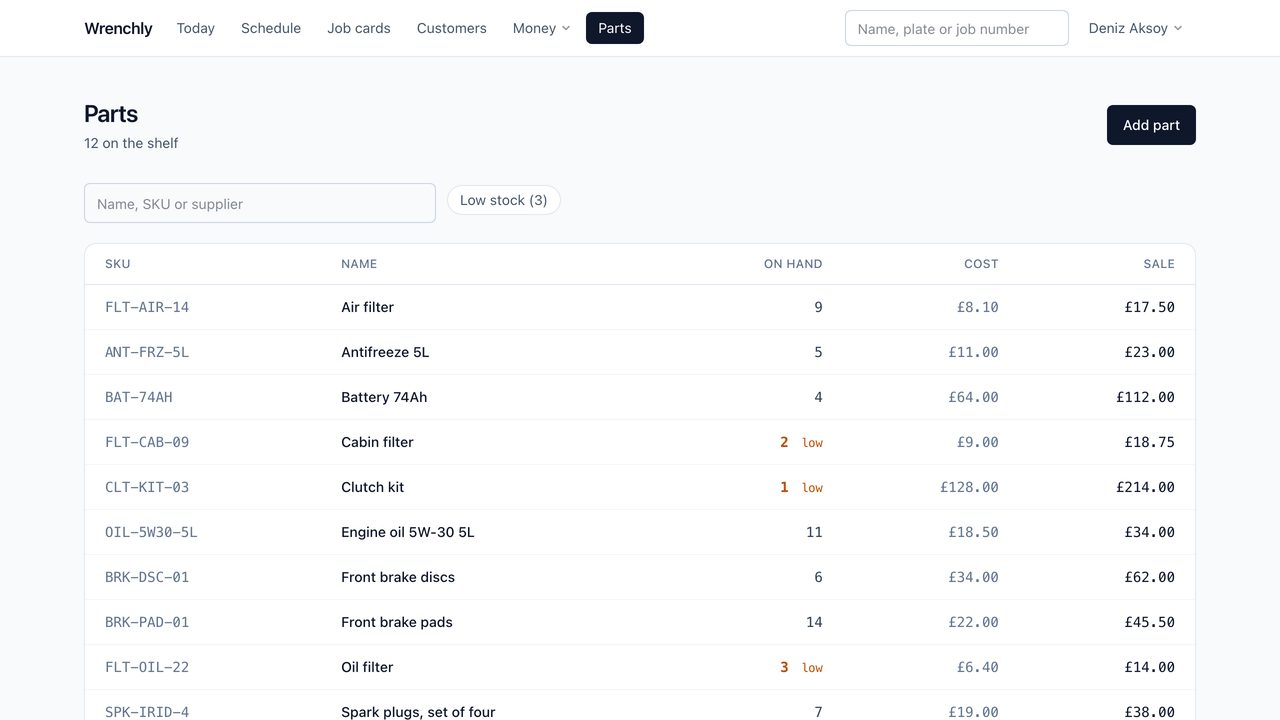
Every change is a movement with a reason and the balance it left behind — received, consumed on a job card, or corrected after a stocktake. Nothing is silently overwritten, so a count that looks wrong can be traced to the line that made it wrong. It will not go negative.
Your customer
Two pages that answer the phone for you
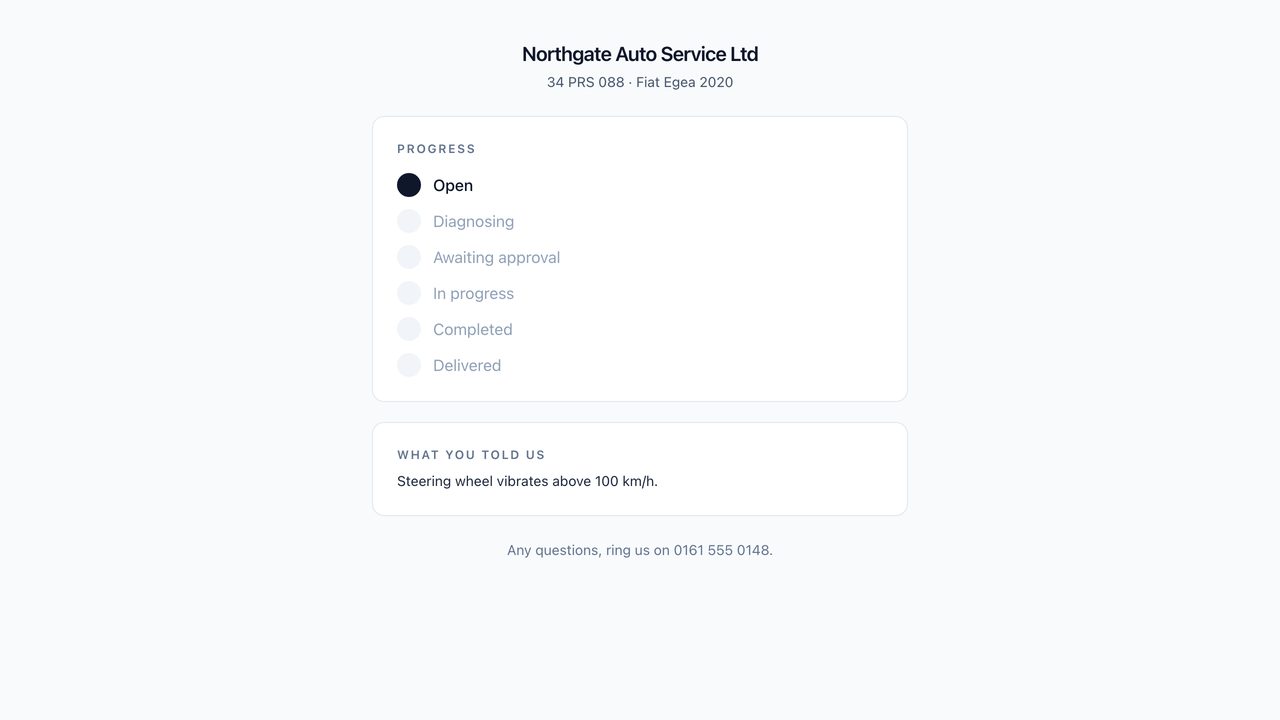
A link they can follow
Every job card carries a private link. Send it once and the customer can see where their car is, approve the quote and download their invoice — without an account. It never shows your internal notes or the staff event log, and one car's link cannot reach another car's paperwork.
There is a public booking page too: name, phone, registration, what is wrong and a time. Requests arrive for you to confirm or decline, and nothing takes a bay until you say so.
Everything in the box
Nothing here is held back for a paid add-on.
Job cards
Complaint, diagnosis, mileage, technician, promised time, and a full history of every status change with the note that explains it.
Customers and vehicles
Plate, VIN, mileage and a service history that belongs to the car rather than to whoever happens to be driving it.
Quotes and invoices
Numbered in their own sequences with your prefixes, and rendered to PDF in pure PHP on your own server.
Payments and books
Part payments tracked to the penny, plus a simple income and expense book that invoice payments flow into on their own.
Parts and stock
SKUs, suppliers, cost and sale prices, reorder levels, low-stock flags and a movement history behind every number.
Schedule by bay
The day laid out per service bay, with double-booking refused when it is made rather than discovered on the ramp.
Reports
Invoiced, collected, spent, outstanding, jobs finished and average job value over any range — plus technicians, top jobs and parts used.
Customer emails
Six templates in your own wording with placeholders for the customer, the vehicle and the link. Each one can be switched off.
Many workshops, one install
Every record belongs to one workshop, enforced on every query rather than remembered by each screen. Run one shop or a group.
API and webhooks
A read-only JSON API with keys you can revoke, and signed outbound webhooks so another system can be told when an invoice is paid.
Your branding
Your legal name, address, tax number, currency, tax label and logo on every quote and invoice.
Guided installer
Checks the server before it asks for anything, and names each unmet requirement with what to do about it.
Four roles, enforced on the server
Not a permission matrix you have to configure before anyone can work. Every one of these is a check in the application, not a hidden menu item.
| Owner | Service advisor | Technician | Accountant | |
|---|---|---|---|---|
| See job cards | Yes | Yes | Yes | Yes |
| Edit job cards | Yes | Yes | Status and diagnosis | No |
| See prices and totals | Yes | Yes | Never | Yes |
| Quotes and invoices | Yes | Yes | No | See and take payment |
| Books and reports | Yes | Yes | No | Yes |
| Settings and staff | Yes | No | No | No |
The technician account is worth using properly: it is the only role never shown a price, which makes it the right login for a tablet left out in the workshop.
Installing it
Built for the hosting you already have
Ongoing third-party costs: none are required.
No paid API key, no subscription, no external service. PDFs, the customer portal, the booking page and the reports are all generated on your own server. The two things you pay for are the two you would be paying for anyway: your hosting, and your own mailbox if you want Wrenchly to email customers.
- No Node, no Composer, no shell. Compiled assets ship in the package and the dependencies come with it. Upload the files and open the site.
-
PDFs in pure PHP. No
wkhtmltopdfand no headless Chrome — the usual reason this kind of application will not run on cPanel hosting. -
Installs in a subdirectory. Put it at
/appbeside your existing site. This demo runs that way, so you are looking at the proof. - Nothing written until it works. Database details are tested before they are saved, so a typo cannot lock you out of your own setup.
- Updates apply themselves. Upload a new release and load the site; pending migrations run once, on their own. No shell needed.
- No licence phone-home. Nothing calls a server that might be down when you need to sign in.
Requirements
- Server
- PHP 8.3 or newer (8.4 recommended), MySQL 8 or MariaDB 10.6, Apache or nginx
- Extensions
- mbstring, openssl, pdo_mysql, fileinfo, gd, zip, ctype, json
- Memory
- 128 MB, or 256 MB for very long invoices
- Not needed
- Node.js, Composer, shell access, Redis, cron, a queue worker
- Built with
- Laravel 13, Inertia, Vue 3, Tailwind CSS 4
- Included
- Full source, compiled assets, offline documentation, 242 tests
What it does not do
Said here rather than discovered after you have bought it.
- It does not take card payments. You record money that has arrived; there is no Stripe or PayPal integration.
- No SMS or WhatsApp. Customer notifications are email only.
- No ready-made accounting connector. The JSON API is there so one can be built, but there is no Xero or QuickBooks integration.
- English only. There is no translation layer in this version.
- No mobile app. The interface works in a phone browser, which is not the same thing.
- The API is read-only. Records can be read out, not created.
Take it for a drive.
A real workshop with eight months behind it — 78 job cards, 67 invoices, real payments and outstanding balances. Change anything you like; it resets overnight.
owner@wrenchly.demoSees everythingadvisor@wrenchly.demoRuns the front desktechnician@wrenchly.demoNever shown a priceaccountant@wrenchly.demoThe books, not the cardsdemo1234The same for all four